Run Munder Difflin on Open-Source Models — Fully Local or via a Third-Party Provider
Munder Difflin runs your agent floor on open-weight models — gpt-oss, Qwen3, DeepSeek, Llama, Mistral, GLM, Kimi — fully local (Ollama/LM Studio/vLLM), through a third-party OSS provider, or on the model-maker's own CLI. Here's the wiring, current as of v0.4.4.
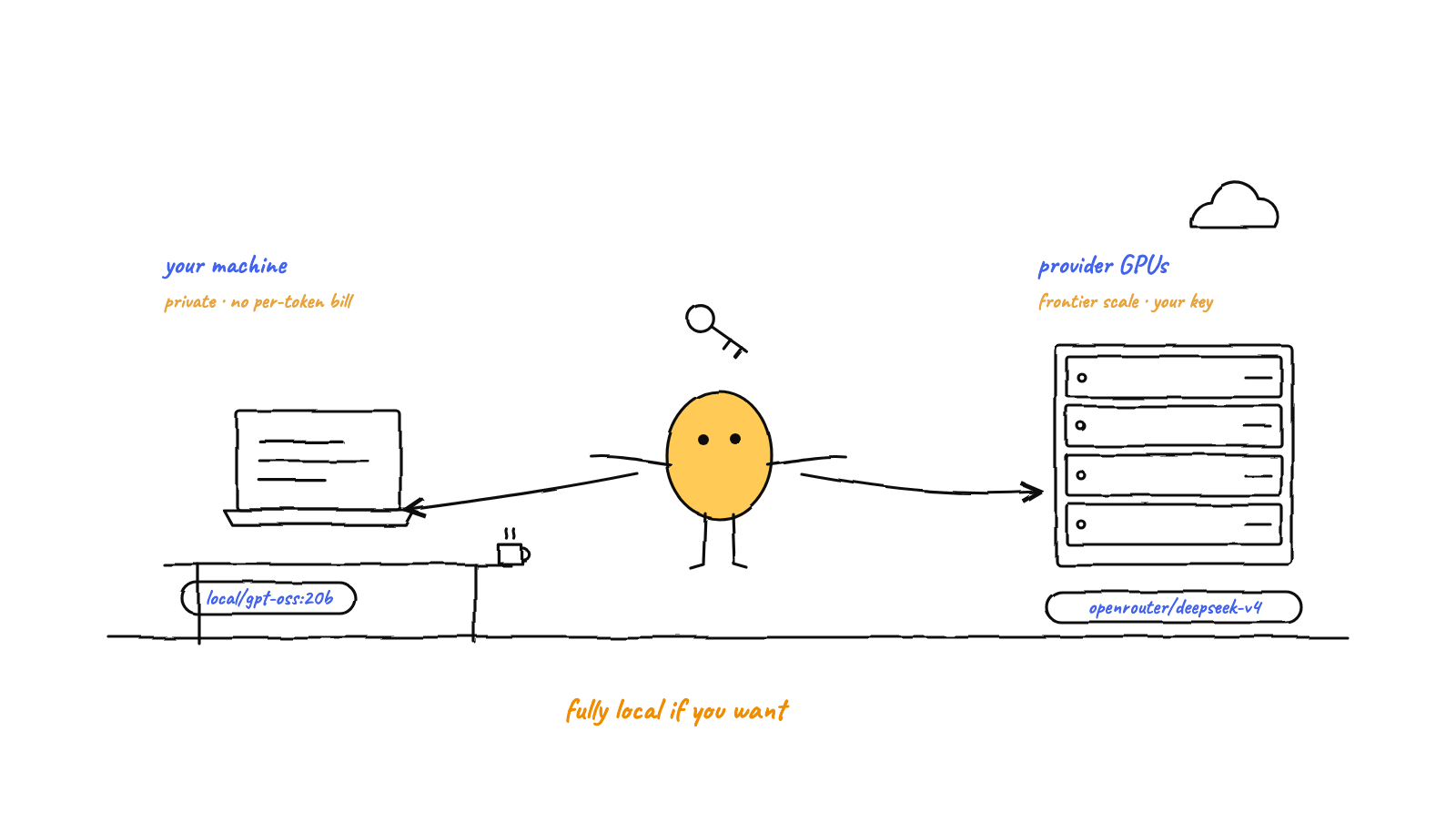
Munder Difflin runs entirely on open models. Three routes: fully local (Ollama / LM Studio / vLLM on your own machine — private, no per-token bill, bounded by RAM), a third-party OSS provider (OpenRouter, Groq, Together, Fireworks, DeepInfra — their hardware, your key, reaching frontier 100B–1T models a laptop can't hold), or the model-maker's own CLI — the Qwen and Kimi engines are first-class hires whose flagship models are open-weight. The BYOK engines (OpenCode, Crush, pi) all use a provider/model slug; keys and local base-URLs live in Settings → AI Engines, and Settings → Prerequisites tells you which engine binaries the app can actually see.
Munder Difflin started as a harness for the closed frontier CLIs — Claude Code, Codex, Antigravity. Useful, but it tied your agent floor to a handful of vendors and their pricing. That’s long since broken open: of the ten engines the app now ships — Claude Code, Antigravity, Codex, Grok, Kimi, Qwen, OpenCode, Crush, pi, and GitHub Copilot CLI — three (OpenCode, Crush, pi) were built from the start to point at any model, and two more (Qwen, Kimi) are the model-makers’ own CLIs for families whose weights are public.
That means you can run an entire office of agents on models anyone can download. There are two honest ways to do it, and they trade off differently. This guide walks both, then shows the exact wiring for each engine — current as of v0.4.4. (For the why-bother, see why local-first matters for AI agents and why CLI agents are so powerful.)
Two routes: your hardware, or someone else’s
“Open source models” is one phrase covering two very different setups. Pick by what you’re optimizing for.
| Fully local | Third-party OSS provider | |
|---|---|---|
| Runs on | Your machine (Ollama, LM Studio, vLLM) | Their GPUs (OpenRouter, Groq, Together, Fireworks, DeepInfra, Novita) |
| Cost | Electricity. No per-token bill. | Per-token, billed to your own key. |
| Privacy | Total — code never leaves the box. | Prompts transit a third party. |
| Ceiling | Bounded by RAM/VRAM (≈7B–70B realistic on a Mac). | The whole frontier — 235B, 480B, even 1T-parameter models. |
| Setup | Pull a model + point the engine at localhost. |
Paste one API key. |
| Best for | Private work, 24/7 unattended, fixed cost. | Frontier quality, zero local hardware, bursty use. |
You don’t have to choose globally — Munder Difflin sets the engine and model per agent. A common pattern: a strong provider-hosted model in the orchestrator seat, and cheap local workers for the routine majority. That’s exactly the capability-routing idea, now with open weights on both ends.
And route three, for the least wiring of all: hire the model-maker’s own CLI. The Qwen and Kimi engines are first-class in the Add-Agent dialog — their vendor CLIs, their auth, no slug to compose — and Qwen3 and Kimi K2.6 are open-weight families. If all you want is “an open-model worker on my floor, now,” that’s one dropdown.
How the three BYOK engines name a model
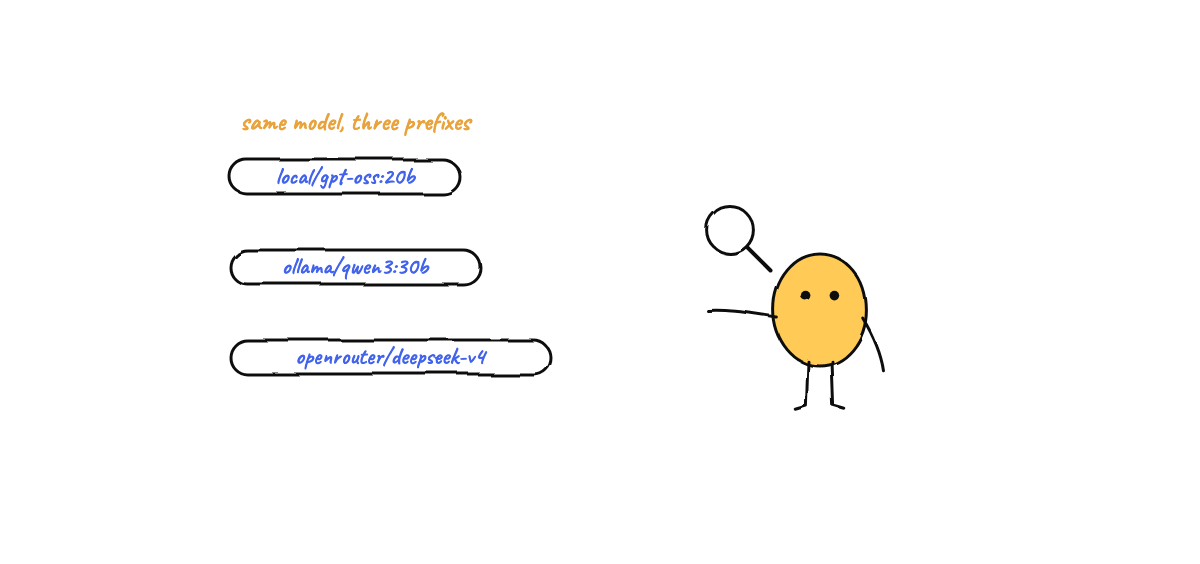
One thing to internalize before any wiring: OpenCode, Crush, and pi all use the same provider/model slug form. The model part is just the upstream’s id (e.g. openai/gpt-oss-120b, qwen3:30b-a3b). The provider prefix resolves one of two ways:
- A built-in provider the engine already knows — supply the matching API-key env var and you’re done:
openrouter,openai,anthropic,groq,deepseek,mistral, and the local ones. - A custom OpenAI-compatible provider you define once (a
base_url+ key block) for any host that isn’t built in — Together, Fireworks, DeepInfra, Novita, Z.ai, Moonshot. Then the slug is<your-name>/<model-id>.
The local route differs slightly by engine — same id, different prefix and wiring:
| Engine | How the app wires local | Local slug |
|---|---|---|
| OpenCode | Injects a custom provider named local (OpenAI-compatible) with your base-URL. |
local/<id> |
| Crush | Writes a provider block (type: ollama / lmstudio / openai-compat) into the agent’s config. |
ollama/<id> |
| pi | Still reserved as of v0.4.4 — the harness doesn’t yet write pi a models.json. Run open models on pi via a provider key (Path B). |
— |
Default endpoints are the usual ones: Ollama http://localhost:11434/v1, LM Studio http://127.0.0.1:1234/v1, vLLM whatever you exposed (often :8000/v1). You set these in the app — no shell exports required.
Path A — fully local (Ollama / LM Studio / vLLM)
Three steps: pull a model, tell Munder Difflin where it lives, pick it for an agent.
1. Pull a model. With Ollama installed, grab one sized to your RAM:
ollama pull gpt-oss:20b        # 14 GB — runs on a 16 GB Mac, the safe default
ollama pull qwen3:30b-a3b      # 19 GB — fast MoE generalist, 32 GB
ollama pull deepseek-r1:32b    # 20 GB — strong reasoning, 32 GB
ollama serve                   # exposes the OpenAI-compatible API on :11434
(LM Studio works the same way — load the model in the app and it serves on :1234. vLLM and llama.cpp expose their own OpenAI-compatible endpoint.)
2. Point the engine at it. Open Settings → AI Engines, find the engine you’ll use (OpenCode or Crush), and set its local base-URL field to your endpoint — e.g. http://localhost:11434/v1 for Ollama. The harness uses it to inject the right provider config when it spawns the agent. No API key needed for local.
3. Hire an agent on that model. In the Add-Agent modal, choose the engine, then pick the local model. The picker offers the open-model quick-picks; the slug it sends is local/gpt-oss:20b on OpenCode, or ollama/gpt-oss:20b on Crush (keep the colon in the tag). That agent now runs fully on your hardware.
Which local model? Match it to your machine. These picks are from the project’s open-model catalog, by RAM tier:
| Model | Ollama tag | Min RAM | Good for |
|---|---|---|---|
| gpt-oss 20B | gpt-oss:20b |
16 GB | Smallest capable default |
| Mistral Small 24B | mistral-small:24b |
16–32 GB | Lightweight generalist |
| Qwen3 30B-A3B (MoE) | qwen3:30b-a3b |
32 GB | Fast MoE generalist |
| Qwen3-Coder 30B | qwen3-coder:30b |
32 GB | Coding |
| DeepSeek-R1 32B | deepseek-r1:32b |
32 GB | Reasoning |
| GLM-4.7-Flash | glm-4.7-flash |
32 GB | The only Mac-viable GLM |
| Llama 3.3 70B | llama3.3:70b |
64 GB | Bigger generalist |
| gpt-oss 120B | gpt-oss:120b |
96 GB | Top local (Studio-class) |
A note on what won’t fit: the headline frontier open models — DeepSeek-V4, Kimi K2.6, GLM-5.2, Qwen3-235B — are server-class. The Ollama tags exist, but no consumer Mac holds them. For those, you want Path B. (Choosing a local model by RAM is the whole subject of the companion Mac Mini setup guide.)
Path B — a third-party OSS provider (BYOK)
Same open weights, hosted on someone else’s GPUs, billed to your own key. This is how you reach the big models, and it’s a two-field setup.
1. Get a key. Sign up with a provider and copy an API key. OpenRouter is the easiest start — one key, the widest catalog. Groq is the fastest for the models it carries. Together, Fireworks, and DeepInfra host the heavyweights.
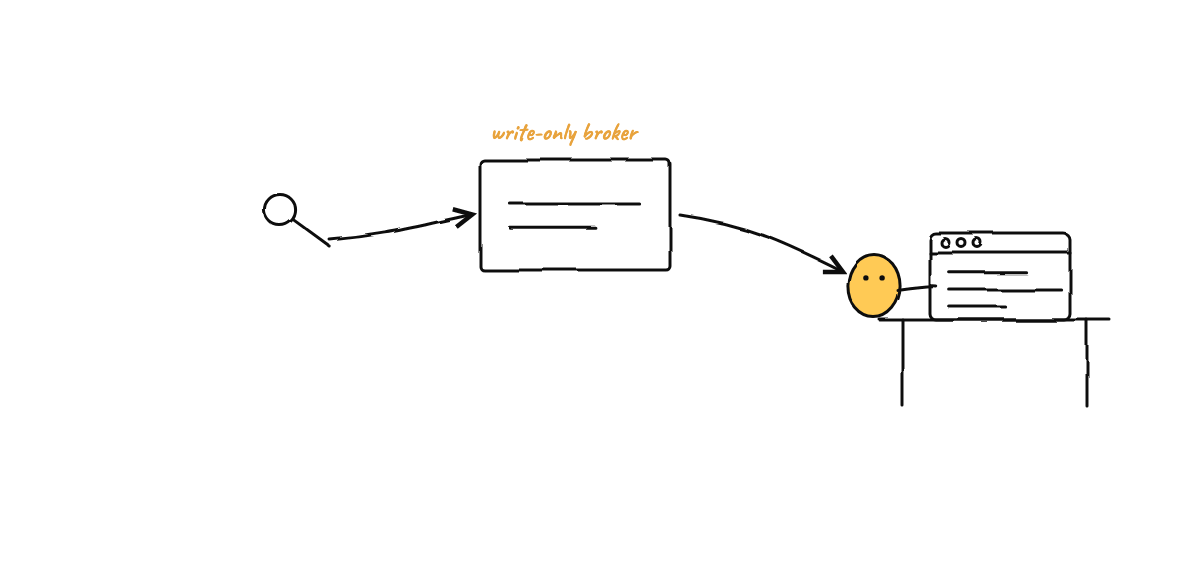
2. Paste it into the app. In Settings → AI Engines, enter the key in the matching field. Keys are stored write-only through the broker — the renderer can set a key but never read it back; only the main process injects it as the right env var (OPENROUTER_API_KEY, GROQ_API_KEY, …) when an agent spawns, and only for the provider that agent actually uses. Nothing lands in plaintext config.
3. Pick a model. In Add-Agent, select the engine and a provider-hosted model. The slug carries the provider prefix — e.g. openrouter/deepseek/deepseek-v4-flash or groq/openai/gpt-oss-120b. The recommended BYOK quick-picks:
| Model | Route | Slug | Key env |
|---|---|---|---|
| gpt-oss 120B (fastest) | Groq | groq/openai/gpt-oss-120b |
GROQ_API_KEY |
| Llama 3.3 70B | Groq | groq/llama-3.3-70b-versatile |
GROQ_API_KEY |
| DeepSeek-V4-Flash | OpenRouter | openrouter/deepseek/deepseek-v4-flash |
OPENROUTER_API_KEY |
| GLM-4.6 | OpenRouter | openrouter/z-ai/glm-4.6 |
OPENROUTER_API_KEY |
| Kimi K2.6 | OpenRouter | openrouter/moonshotai/kimi-k2.6 |
OPENROUTER_API_KEY |
| Qwen3-Coder 480B | OpenRouter | openrouter/qwen/qwen3-coder |
OPENROUTER_API_KEY |
| gpt-oss 120B | OpenRouter | openrouter/openai/gpt-oss-120b |
OPENROUTER_API_KEY |
Prefer a model maker’s own API? Those work too: DeepSeek (deepseek/deepseek-v4-flash, DEEPSEEK_API_KEY), Mistral (mistral/..., MISTRAL_API_KEY), Z.ai for GLM, Moonshot for Kimi. On Groq, stick to gpt-oss and llama-3.3-70b-versatile. The full slug-by-slug table, with citations, lives in the project’s open-model catalog (the single source of truth this post and the Mac Mini guide both cite).
One honest fix from v0.4.4 worth knowing: OpenCode used to preselect a BYOK slug and silently fall back to a different model when the key was absent — while every surface kept reporting the model it had asked for. That’s gone. If a key is missing now, you find out; you never unknowingly run a model you didn’t pick.
Per-engine cheat-sheet
You rarely touch these directly — the AI Engines panel writes them — but here’s what each engine does under the hood, so the model field makes sense.
OpenCode is OpenAI-SDK native and knows most providers out of the box. BYOK is just the env var; local is a custom provider named local. Slugs: openrouter/openai/gpt-oss-120b, local/qwen3:30b-a3b.
Crush reads BYOK env vars for its built-in providers and uses a written config block for anything custom or local. For local Ollama it’s literally:
{ "providers": { "ollama": { "type": "ollama", "base_url": "http://localhost:11434/v1" } } }then select ollama/qwen3:30b-a3b. For a host like Together, it’s an openai-compat block with that provider’s base_url and your key.
pi ships 15+ built-in providers, so BYOK is just the provider key. Slugs look like groq/llama-3.3-70b-versatile or openrouter/qwen/qwen3-coder. Its local base-URL field remains reserved as of v0.4.4 — run open models on pi through a provider key rather than a local endpoint.
Qwen and Kimi are the zero-wiring route: vendor CLIs as first-class engines. Sign in the way each CLI wants and hire away — no slugs, no base-URLs.
All the BYOK engines are orchestrator-eligible, so you can put an open model in Michael’s seat, not just the workers’. Give the seat a strong one — gpt-oss:120b or llama3.3:70b locally (64–96 GB), or a frontier provider model like openrouter/deepseek/deepseek-v4-flash. Sub-8B models are great workers but thin for orchestration.
The bottom line
Open weights turn Munder Difflin from “a harness for three vendors’ CLIs” into “a harness for the whole open ecosystem.” Run it fully local when privacy and fixed cost matter and your RAM can hold the model; run it on a third-party provider when you want frontier quality or no local hardware at all; hire the vendor CLI when you want zero wiring — and mix all three across your floor, agent by agent. The setup is two fields in Settings → AI Engines and a pick in Add-Agent, with Settings → Prerequisites confirming every engine binary the app can see.
That’s the promise kept: a virtual office of CLI agents on your own computer, running on models whose weights anyone can read. Download Munder Difflin — free, open source, local-first — and point your favorite open model at it. (On a Mac and want the hardware-by-RAM walkthrough? Read the Mac Mini setup guide.)
FAQ
Can Munder Difflin run entirely on open-source models?
Yes. The OpenCode, Crush, and pi engines all support bring-your-own-key (BYOK) and local models, and the Qwen and Kimi CLIs are first-class engines whose flagship models are open-weight. You can run every agent — workers and Michael himself — on open models like gpt-oss, Qwen3, DeepSeek, Llama, Mistral, GLM, or Kimi: fully local on your own hardware, or through a third-party OSS provider with your own API key.
What's the difference between running local and using a third-party provider?
Local (Ollama, LM Studio, vLLM) runs the weights on your own machine — fully private, no per-token bill, but bounded by your RAM and GPU. A third-party OSS provider (OpenRouter, Groq, Together, Fireworks, DeepInfra) hosts the same open weights on their hardware and you pay per token with your own key — no local hardware limit, so you can reach the 100B–1T-parameter frontier models a laptop can't hold.
Which open model should I pick for the orchestrator seat?
Michael does the reasoning and long-context coordination, so give him a strong model: locally, gpt-oss-120b or Llama 3.3 70B on a 64–96 GB machine; via a provider, DeepSeek-V4-Flash, GLM-4.6, or Kimi-K2.6 on OpenRouter. Small local models (8B and under) are fine for routine workers but underpowered for orchestration.
Do I need a different model id for each engine?
No — the upstream model id is the same. All three BYOK engines use a provider/model slug; only the provider prefix and how the key or base-URL is wired differ. For local models, OpenCode uses local/<id> while Crush uses ollama/<id>.